

Getting Started with SharePoint Tools in Work IQ
Introduction
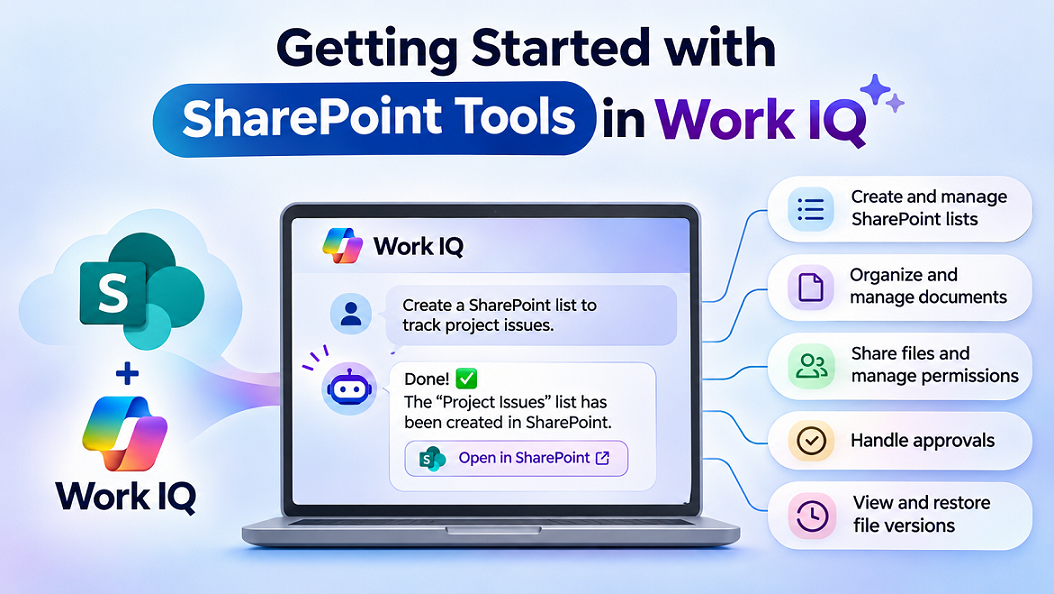
Microsoft has introduced SharePoint Tools in Work IQ, bringing more than 60 SharePoint operations to AI agents through the Model Context Protocol (MCP).
Until now, AI agents have mainly helped users search for information, summarize documents, and answer questions. With SharePoint Tools in Work IQ, agents can go a step further and perform actions directly in SharePoint.
For example, you can ask an AI agent to create a SharePoint list, update list items, organize documents, manage approvals, or restore previous versions of files.
Instead of writing custom code using Microsoft Graph or SharePoint REST APIs for every operation, developers can use these ready-to-use SharePoint tools.
The feature is currently available in public preview.
What Is Work IQ?
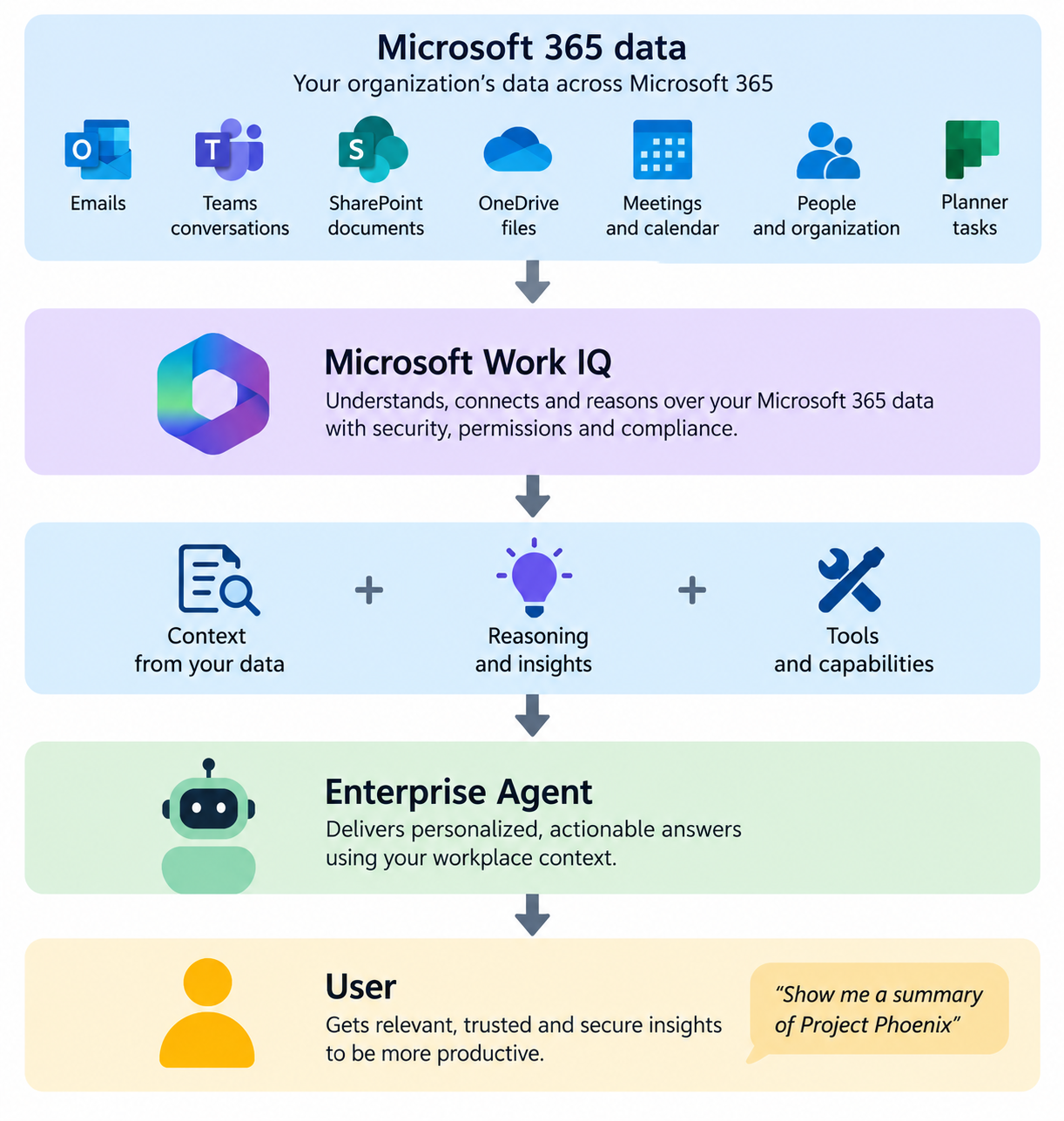
Work IQ is Microsoft’s intelligence layer that helps AI agents understand and interact with organizational information in Microsoft 365.
It enables agents to access business information and perform supported operations while respecting existing user permissions and organizational security policies.
SharePoint Tools extend Work IQ by allowing agents to interact with SharePoint sites, lists, document libraries, and files.
These tools are exposed through an MCP server, making them accessible to compatible AI clients such as GitHub Copilot CLI and other MCP-enabled applications.
What Can You Do with SharePoint Tools?
Microsoft has introduced more than 60 operations covering common SharePoint activities.
| Capability | Example |
|---|---|
| SharePoint Lists | Create lists, add columns, and update items |
| Document Libraries | Create and manage document libraries |
| File Management | Copy, move, rename, and organize files |
| Search | Find documents, lists, and other SharePoint content |
| Metadata | Read and update document properties |
| Approvals | Create and manage approval requests |
| Version History | View and restore previous document versions |
| Sharing | Share documents and manage permissions |
| Recycle Bin | Find and restore deleted content |
These capabilities make it possible to build AI agents that complete everyday SharePoint tasks using natural-language instructions.
How Do SharePoint Tools Work?
SharePoint Tools use the Model Context Protocol (MCP) to connect AI agents with SharePoint.
When a user asks an agent to perform an action, the agent identifies the required SharePoint operation, understands its parameters, and executes it through Work IQ.
Three important operations make this possible:
search_paths– Finds the appropriate SharePoint operation.get_schema– Identifies the parameters required to execute the operation.do_action– Executes the operation in SharePoint.
For example, when a user asks an agent to create a SharePoint list, the agent discovers the list creation operation, checks the required information, and creates the list.
The agent uses the signed-in user’s permissions, so it cannot access or modify SharePoint content beyond what that user is authorized to do.
Example: Create a SharePoint List Using an AI Agent
Let’s understand how this works with a practical example.
Suppose you are managing a project and want to create a SharePoint list to track project issues.
Traditionally, you would open SharePoint, create a list, add columns, configure their types, and create views.
With SharePoint Tools in Work IQ, you can ask an AI agent to perform these activities.
Step 1: Configure Work IQ
Before using SharePoint Tools, your organization needs to enable Work IQ and configure the required permissions.
The key requirements include:
- Work IQ enabled in your Microsoft 365 tenant.
- A configured consumption-based billing plan.
- An MCP-compatible AI client, such as GitHub Copilot CLI.
- Appropriate Work IQ permissions and tenant policies.
Microsoft provides the following MCP endpoint:
https://workiq.svc.cloud.microsoft/mcp
Configure this endpoint in your supported MCP client and authenticate using your Microsoft 365 account.
For read-only operations, the application requires WorkIQ.Read. To create or modify SharePoint content, it requires WorkIQ.Act, along with the necessary user permissions and tenant policy authorization.
Step 2: Ask the AI Agent to Create a List
Once the connection is configured, provide the following prompt:
Create a SharePoint list named “Project Issues” in https://contoso.sharepoint.com/sites/ProjectManagement.
Add the following columns:
- Issue Title – Single line of text
- Description – Multiple lines of text
- Priority – Choice (High, Medium, Low)
- Assigned To – Person
- Status – Choice (Open, In Progress, Resolved)
- Due Date – Date
Create a view named “Open Issues” that displays only items where Status is not Resolved.
Step 3: Agent Executes SharePoint Operations
The AI agent uses Work IQ to discover the required SharePoint operations.
It first identifies the target SharePoint site and then discovers the operations needed to create a list, configure columns, and create a view.
After inspecting the required parameters, it executes the operations using do_action.
If everything is configured correctly and the user has the required permissions, the list is created in SharePoint.
Step 4: Verify the Result
Open the SharePoint site and navigate to the newly created Project Issues list.
You should see the configured columns and the Open Issues view.
You can now ask the agent to perform additional operations, such as:
Add a new issue titled “Application Login Failure”, set Priority to High, assign it to the project owner, and set Status to Open.
The agent can use the appropriate SharePoint operation to create the list item.
This example demonstrates how AI agents can help users complete SharePoint activities without manually navigating multiple screens.
Security and Permissions
Security is an important part of SharePoint Tools in Work IQ.
Microsoft uses delegated permissions, meaning the agent performs operations on behalf of the signed-in user.
Two OAuth scopes are available:
| Permission | Purpose |
|---|---|
WorkIQ.Read |
Allows supported read operations |
WorkIQ.Act |
Allows supported read and modification operations |
Even with WorkIQ.Act, agents cannot bypass existing SharePoint permissions.
Administrators can also use Work IQ governance policies to control which operations agents are allowed to perform.
For example, an organization can allow agents to search SharePoint documents while restricting actions that modify or delete content.
SharePoint Tools vs. Microsoft Graph
SharePoint Tools do not replace Microsoft Graph. Both technologies serve different purposes.
| Microsoft Graph | SharePoint Tools in Work IQ |
|---|---|
| Designed for application development | Designed for AI agent interactions |
| Developers call specific APIs | Agents discover suitable operations |
| Requires API integration logic | Provides ready-to-use SharePoint operations |
| Ideal for scheduled scripts and applications | Ideal for natural-language-driven tasks |
For example, Microsoft Graph remains suitable for a PowerShell script that processes thousands of SharePoint files.
SharePoint Tools are useful when an AI agent needs to understand a user’s request and dynamically perform supported SharePoint activities.
Benefits for Developers
SharePoint Tools provide several advantages for developers building AI-powered Microsoft 365 solutions.
Faster development: Developers can use native SharePoint operations instead of building custom API integrations for every activity.
Simpler agent development: Agents can discover available operations and understand their parameters dynamically.
Better task execution: Microsoft has reported improved task completion rates and reduced token consumption in its internal evaluations.
Built-in security: Operations respect the user’s SharePoint permissions and Work IQ governance policies.
More practical AI agents: Agents can perform actions instead of being limited to answering questions.
Since the feature is in public preview, developers should test its capabilities and limitations before using it for business-critical operations.
Summary
SharePoint Tools in Work IQ bring an important change to how AI agents interact with SharePoint.
With more than 60 native operations available through MCP, agents can create lists, manage documents, update metadata, handle approvals, and perform many other SharePoint activities.
For SharePoint developers, this opens opportunities to build AI agents that help users complete everyday tasks through simple natural-language instructions.
Rather than replacing Microsoft Graph or existing SharePoint development tools, Work IQ provides an additional approach for building intelligent, action-oriented solutions.
As Microsoft continues to expand these capabilities, AI agents will become increasingly useful for automating SharePoint activities and improving productivity.


Leave a comment