

Microsoft 365 Agent Store: A New Marketplace for Enterprise-Ready AI Agents
Introduction
At Microsoft Ignite 2025, Microsoft announced one of the most important updates in the Copilot and agentic-AI ecosystem - the Microsoft 365 Agent Store. This new marketplace brings AI agents directly into the Microsoft 365 environment, helping organizations discover, deploy, and govern ready-made or custom-built agents securely and at scale.
The Agent Store marks a major shift from “AI features” to AI-powered workflows, allowing businesses to use specialized agents for tasks like document summarization, ticket triage, HR automation, compliance monitoring, SharePoint insights, and more. Instead of building everything from scratch, customers can now select from curated, safe, compliant agents that are instantly usable inside the Microsoft 365 ecosystem.
What is the Agent Store?
The Microsoft 365 Agent Store is a centralized marketplace, similar to the app store, where organizations can:
- Discover prebuilt AI agents created by Microsoft, partners, or internal developers
- Browse agents for productivity, IT operations, HR, finance, security, and industry-specific tasks
- Deploy agents to users or groups with controlled permissions
- Manage updates, compliance, and lifecycle from a central admin experience
Each agent in the store is built on the Microsoft 365 Agent Framework, ensuring it is:
- Secure
- Governed
- Integrated with Microsoft Graph
- Compatible with Copilot experiences
- Enterprise compliant (access controls, data boundaries, audit logs)
Key Concepts Behind the Agent Store
1. Enterprise-ready agents
Agents are designed to run inside the Microsoft 365 trust boundary. They can access:
- Files
- Teams chats
- SharePoint data
- Outlook mail
- Calendar
- Planner / Loop tasks
All access respects user permissions and organization policies.
2. Multi-channel availability
Agents from the Store can work across:
- M365 Chat
- Microsoft Copilot in Teams
- SharePoint
- Outlook
- Third-party apps, depending on configuration
- Copilot Studio (for customization)
3. Publisher ecosystem
The store includes agents from:
- Microsoft (e.g., SharePoint Agent, Security Agent)
- Independent Software Vendors (ISVs)
- Enterprise developers, who can publish internal agents to the private catalog
4. Compliance & governance
Admins have full control:
- Approve or block agents
- Assign usage permissions
- Track analytics, usage, and data access
- Enforce DLP, sensitivity labels, retention policies
How to Access the Microsoft 365 Agent Store?
Below are the step-by-step instructions as of the Ignite 2025 announcement.
Step 1: Open Microsoft 365 Admin Center
Navigate to:
Microsoft 365 Admin Center → Copilot → Agent Store
Here, admins can browse public and private agents.
Step 2: Browse Available Agents
You will see categories such as:
- Productivity
- IT administration
- SharePoint & content services
- HR automation
- Finance
- Legal & compliance
- Industry solutions (healthcare, retail, manufacturing)
Each listing displays:
- Description
- Capabilities
- Data access required
- Pricing (if applicable)
- Permissions
- Security & certification details
Step 3: Add an Agent to Your Organization
Admins can:
- Install the agent
- Select users, security groups, or departments for access
- Configure settings such as data scope, permissions, and allowed actions
- Enable audit logging
Step 4: Users Access the Agent
Once installed, the agent appears in:
- Microsoft 365 Chat (chat.microsoft.com)
- Copilot for Teams
- SharePoint
- Outlook Copilot
- Copilot Sidebar in Office apps
Users can start interacting with the agent through simple natural language prompts.
Step 5: Governance & Monitoring
Admins can use built-in dashboards to track:
- Usage analytics
- Errors
- Data accessed by the agent
- Audit logs
- Version updates
Value Proposition: Why the Agent Store Matters
1. Faster AI Adoption
Organizations no longer need to build agents from scratch. They can adopt ready-to-use, enterprise-tested agents instantly.
2. Standardization Across the Organization
Teams can use consistent, reliable AI agents across the entire Microsoft 365 ecosystem, reducing shadow IT.
3. High Security & Compliance
All agents run within Microsoft’s enterprise boundary:
- No external data leakage
- Respect for user permissions
- Full audit footprint
- Data residency compliance
4. Reduced Development & Maintenance Costs
Instead of custom development, businesses can reuse partner or Microsoft agents.
5. Extensibility with Copilot Studio
Organizations can customize:
- Behaviors
- Prompts
- Data access
- Workflows
A public agent can serve as a starting point, speeding up development.
6. Better User Experience
Employees get:
- Prebuilt, task-oriented agents
- Less friction
- Faster results
- Integration with daily apps (Teams, SharePoint, Outlook, Files, Planner)
Real-World Use Cases
1. SharePoint Governance Agent
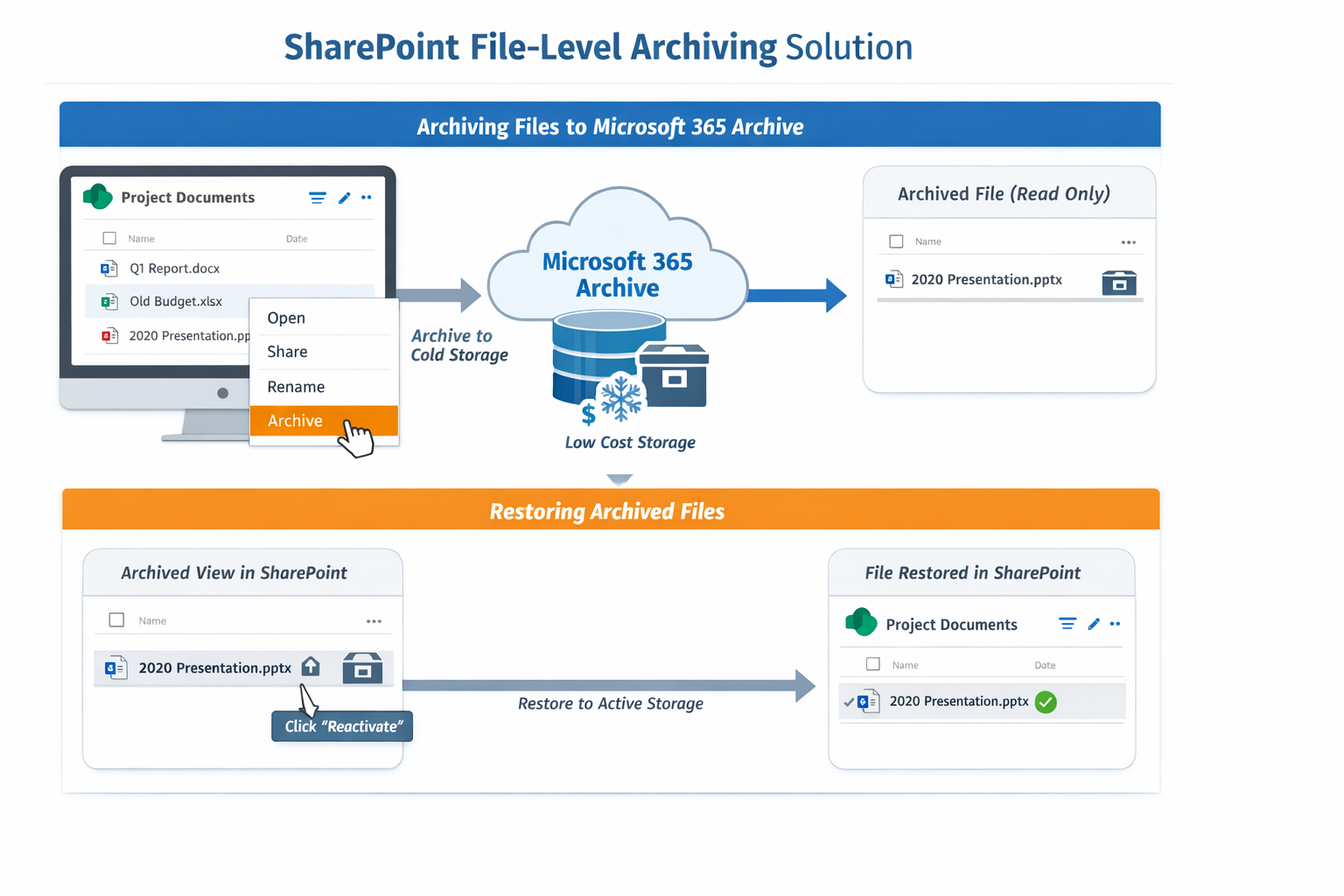
- Identify large/storage-heavy sites
- Report on inactive content
- Recommend retention or archiving
- Audit permissions or external sharing
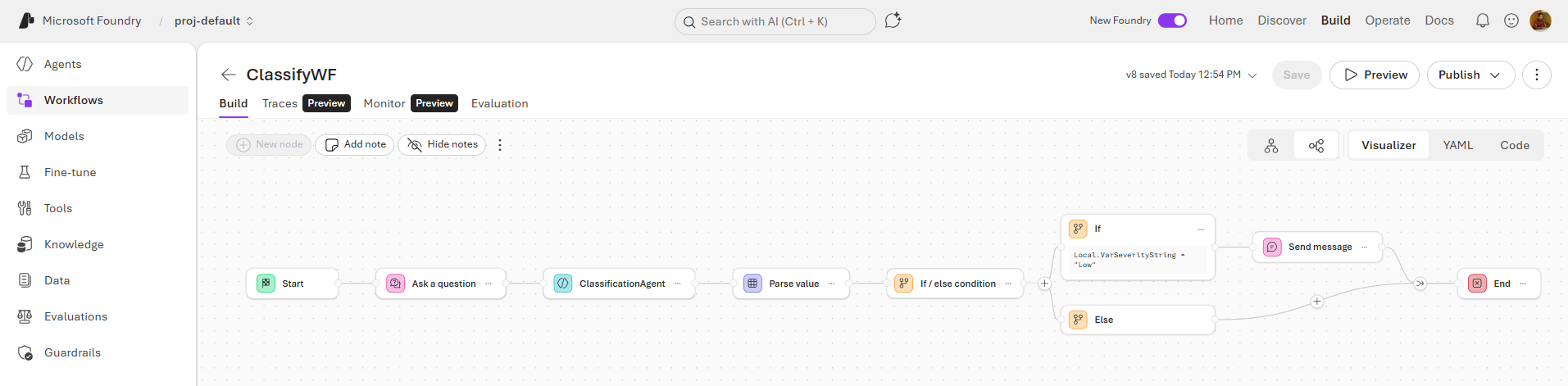
2. IT Support & Ticket Triage Agent
- Categorize and prioritize user-reported issues
- Suggest solutions
- Integrate with ServiceNow/Jira
3. Finance Automation Agent
- Summarize invoices
- Pull data from Excel financial models
- Extract insights for month-end reporting
4. HR Onboarding Agent
- Guide new employees
- Provide access links
- Explain policies
- Prepare personalized onboarding checklists
5. Sales Opportunity Agent
- Analyze CRM data
- Prepare account summaries
- Generate competitive insights
- Suggest next actions
6. Compliance Monitoring Agent
- Identify sensitive content
- Detect policy violations
- Propose remediation steps
Summary
The Microsoft 365 Agent Store, announced at Ignite 2025, is a major leap in Microsoft’s agentic-AI roadmap. It brings a curated marketplace of enterprise-ready agents directly into the Microsoft 365 ecosystem, enabling organizations to adopt AI rapidly, securely, and cost-effectively.
With strong integration across Teams, SharePoint, Outlook, and Microsoft 365 Chat - backed by governance, permission controls, and analytics - the Agent Store empowers businesses to standardize AI usage and speed up digital transformation.
This is not just a feature upgrade; it is the beginning of a new era where AI agents become as common and essential as apps in the enterprise.
References
- Microsoft Ignite 2025 - Book of News
- Microsoft 365 Roadmap
- Microsoft 365 Copilot and Agent Framework documentation
- Microsoft Technical Blogs (Ignite announcements)
Leave a comment